Blocked Connection Logs
Connection handling and Blocked connection logs are applicable to Gateway Mode (formerly SMTP/Inline message sources). Gateway Mode configurations are available for customers with a Secure Email Threat Defense advantage license.
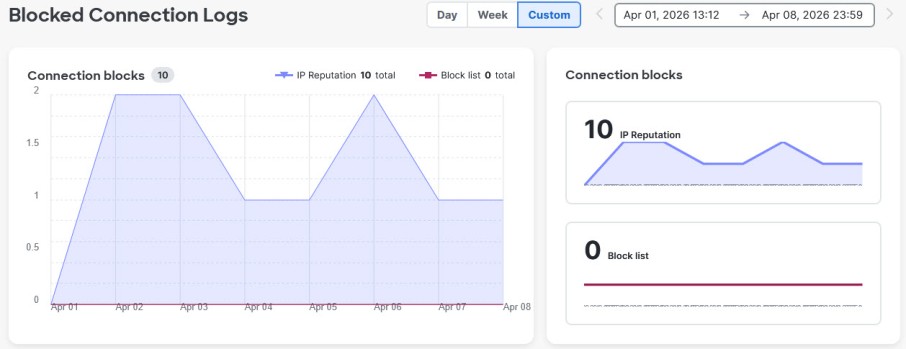
The Blocked Connection Logs report at Insights > Blocked Connection Logs shows a graphical representation of connections that have been blocked based on IP Reputation and Block Lists. This page can show data for a Day, Week, or a Custom time period up to 14 days.
You can export the Blocked Connections Logs data to CSV by clicking the Export button. Blocked Connection data is also shown in the Audit Log CSV export, accessible from Administration > Business > Audit Logs.
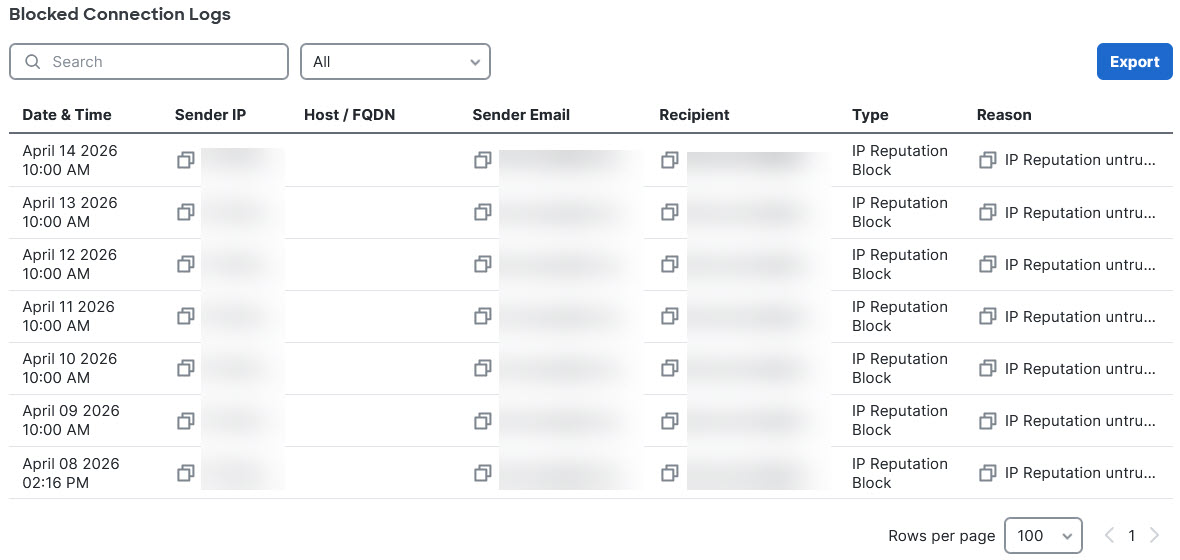
The Blocked Connections Logs table below the graphs shows details about each blocked connection. If no data is shown, click the Load button to populate the table. Once data is loaded, you can search the table and filter by the following types:
-
IP reputation: Connections blocked because the sender IP has a bad reputation.
-
System block: Connections blocked by the system for reasons such as messages exceeding size limits or connection throttled due to too many messages or too many recipients.
-
Block list: Connections blocked because an item such as Sender Domain or IP address was included in a block list rule.